
Prescription payment for hospitals.
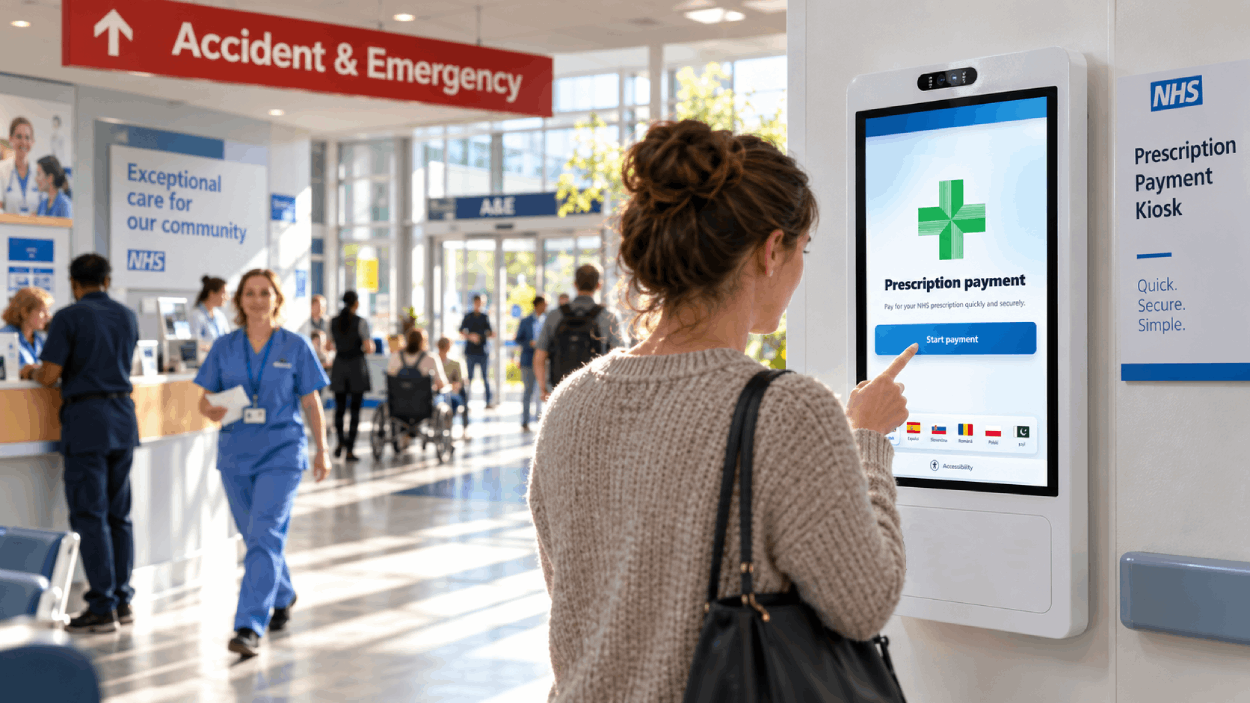
WardPay gives healthcare organisations a simple self-service way to collect prescription payments where a charge is due — without requiring staff to operate a separate payment point.
Patients can select the appropriate chargeable items, pay securely by card and receive printed proof of payment to present when collecting their medication.
Payment can become the awkward part of the prescription workflow.
In some hospital and healthcare environments, medication may be dispensed at a time or location where a conventional pharmacy till or staffed payment desk is not available.
Where a patient payment is legitimately required, the organisation still needs a straightforward way to collect it without creating unnecessary work for clinical or administrative staff.
Medication is ready
The patient reaches the point where medication can be supplied.
A payment is required
But the usual staffed payment facility may be closed, remote or inconvenient.
Staff inherit the payment problem
A clinical workflow becomes dependent on somebody finding a way to process the transaction.
A clear route from prescription to payment.
WardPay keeps the patient payment journey short, predictable and separate from the clinical process.
Select
The patient selects the relevant chargeable prescription item or payment option on the kiosk.
Pay
Payment is completed securely using contactless or chip + PIN on the connected card terminal.
Collect
The kiosk prints proof of payment for the patient to present as part of the collection workflow.
The payment system should make the workflow simpler, not harder.
The value of a prescription payment kiosk is not the touchscreen itself. It is removing a routine transaction from staff while preserving a clear, auditable process.
Simple for patients
Large touch targets and a focused journey help patients complete a straightforward transaction with minimal instruction.
Less routine payment handling
Staff can direct patients to a standard payment process rather than manually processing routine card transactions.
Clear payment record
Transactions can be recorded centrally while printed receipts provide immediate proof of payment for the patient.
Multilingual interface
Patient-facing instructions can be offered in multiple languages to support diverse hospital populations.
Accessible controls
Interfaces can include larger text, higher contrast, simplified layouts and other accessibility options.
Available beyond staffed desks
A kiosk can provide a payment facility at locations or times where running a conventional staffed till would be impractical.
Payments should not depend on a staffed till being open.
Hospitals can operate clinical services well beyond the opening hours of conventional pharmacy or cashier facilities.
Where a legitimate patient charge is due, a WardPay kiosk can provide a dedicated self-service payment point close to the clinical workflow.
Important: payment eligibility and prescription-charge rules remain the responsibility of the healthcare organisation. WardPay provides the payment workflow; it does not determine whether a patient is clinically or legally chargeable.
Example workflow
Staff establish that a payment is due.
The patient is directed to the WardPay kiosk.
The patient selects the required payment option and completes the card transaction.
A receipt is printed as proof of payment.
The patient returns to the appropriate collection point and the workflow continues.
The kiosk is only the patient-facing part.
Hospital teams also need visibility over what is happening after a kiosk has been deployed.
WardPay includes management tools designed to support transaction reporting, device oversight and operational support.
Start with one workflow and prove that it works.
A prescription payment kiosk does not need to begin as a large technology programme.
WardPay is designed to support focused deployments where a specific payment problem can be tested, measured and refined before any wider rollout.
Understand the workflow
Map when payment is required, who currently handles it and where the existing process creates friction.
Configure WardPay
Adapt the patient journey, available payment options and kiosk interface to suit the deployment.
Measure the result
Monitor utilisation, payment activity and operational feedback before deciding whether to expand the deployment.
The same platform can solve other payment workflows.
Prescription payments are one specialist use case. WardPay can also be configured for other repetitive payments and service journeys.
Prescription payment kiosk FAQs
Some of the practical questions healthcare teams typically need to answer when considering a self-service payment workflow.
What is a prescription payment kiosk?
A prescription payment kiosk is a self-service terminal that allows an eligible patient to make a required payment using a card rather than relying on a staffed till or payment desk.
Can WardPay be used when the hospital pharmacy is closed?
WardPay can provide a self-service payment facility outside normal staffed payment hours where the healthcare organisation has determined that a legitimate patient payment is due.
Does WardPay decide whether a patient should pay?
No. Charge eligibility and exemption rules remain the responsibility of the healthcare organisation. WardPay provides the payment mechanism once the appropriate payment requirement has been established.
What payment methods can the kiosk support?
Supported WardPay deployments can accept contactless card payments and chip + PIN through the integrated payment terminal.
Does the patient receive a receipt?
Yes. The kiosk can print proof of payment which can form part of the organisation's collection workflow.
Can the touchscreen support multiple languages?
Yes. WardPay's touchscreen interface can support multiple languages and accessibility options as part of the deployment configuration.
Can we begin with a single kiosk?
Yes. WardPay is designed to support focused deployments so an organisation can test a workflow before considering a wider rollout.
Could WardPay simplify your prescription payment workflow?
Tell us how payments are currently handled at your site, when the process becomes difficult and what you would like a self-service system to achieve.
hello@wardpay.co.uk